




Last Tuesday, I talked to a Finance Director at a fast-growing SaaS company who spent 45 minutes trying to get ChatGPT to write a simple revenue cohort analysis query. She described exactly what she needed in plain English: "Show me monthly recurring revenue by customer acquisition month for the last 12 months." The LLM confidently generated SQL that looked perfect at first glance—complete with proper joins and date functions—but failed spectacularly when she tried to run it against their Snowflake database.
The issue wasn't the complexity of her request. Any data analyst could have written that query in 5 minutes. The problem was that the LLM had no idea that their "revenue" lived in a table called billing_events, that "customer acquisition month" required joining to a user_signups table through a non-obvious external_user_id field, or that their date formats were stored as Unix timestamps, not standard datetime fields.
This scenario plays out thousands of times daily across organizations trying to democratize data access with AI, and AI projects like this one are notorious for not working out. But you try anyway because the idea of empowering decision makers with the ability to query databases using natural language and eliminating the IT bottleneck comes with a high ROI.
For a text-to-SQL data analyst implementation to be successful, you must build a Data Analyst agent that is properly trained on three kinds of context: your data schema, definitions of business metrics, and learnings from real-world examples.
At Go Fig, we work closely with data and Finance teams to tackle these challenges using proven metadata and governance strategies. This post sheds light on providing the right context to your agents via four different methods: direct prompting, fine-tuning, retrieval pipelines (RAG), and data catalogs like Select Star. This post will also offer guidance on when and how to use each approach, as well as the top data catalogs to consider.
Why LLMs Give Inconsistent Results with Data Analysis
The fundamental challenge with using LLMs for data analysis isn't that they can't write SQL. In fact, foundational models like GPT-5 and Gemini 2.5 Pro have become incredibly powerful, especially in writing SQL and other coding languages. The issue is that they're working blind when it comes to your specific data environment.
Think about how a human data analyst approaches a new project. They don't just start writing queries. They spend time understanding the schema, consulting subject matter experts across the organizations to solidify their understanding of business definitions, studying existing queries to understand patterns, and often making several iterations before getting accurate results. LLMs, on the other hand, are expected to produce perfect SQL on the first try with minimal context.
Here's what actually happens when you ask an LLM to generate SQL database queries without proper context:
Schema Hallucination: The model invents table and column names that sound reasonable but don't exist in your database. Ask for "customer revenue data" and it might confidently reference customers.total_revenue, when your actual table structure uses billing_summary.amount_usd with a complex join to user_accounts.
Business Logic Misinterpretation: The LLM applies generic business rules instead of your specific definitions. "Active users" might be defined as users who logged in within 30 days in the training data, but your company defines it as users with at least one transaction in 90 days.
Data Type Confusion: Without knowing your actual data types and formats, LLMs make assumptions that break queries. They might generate date comparisons using string formats when your timestamps are stored as integers, or apply text functions to numeric fields.
Relationship Misunderstanding: The model can't infer complex relationships between tables, especially when foreign keys don't follow standard naming conventions or when business logic requires specific join conditions.
The result? SQL that looks sophisticated but fails to execute, returns incorrect results, or worst of all, returns plausible but wrong answers that mislead business decisions.
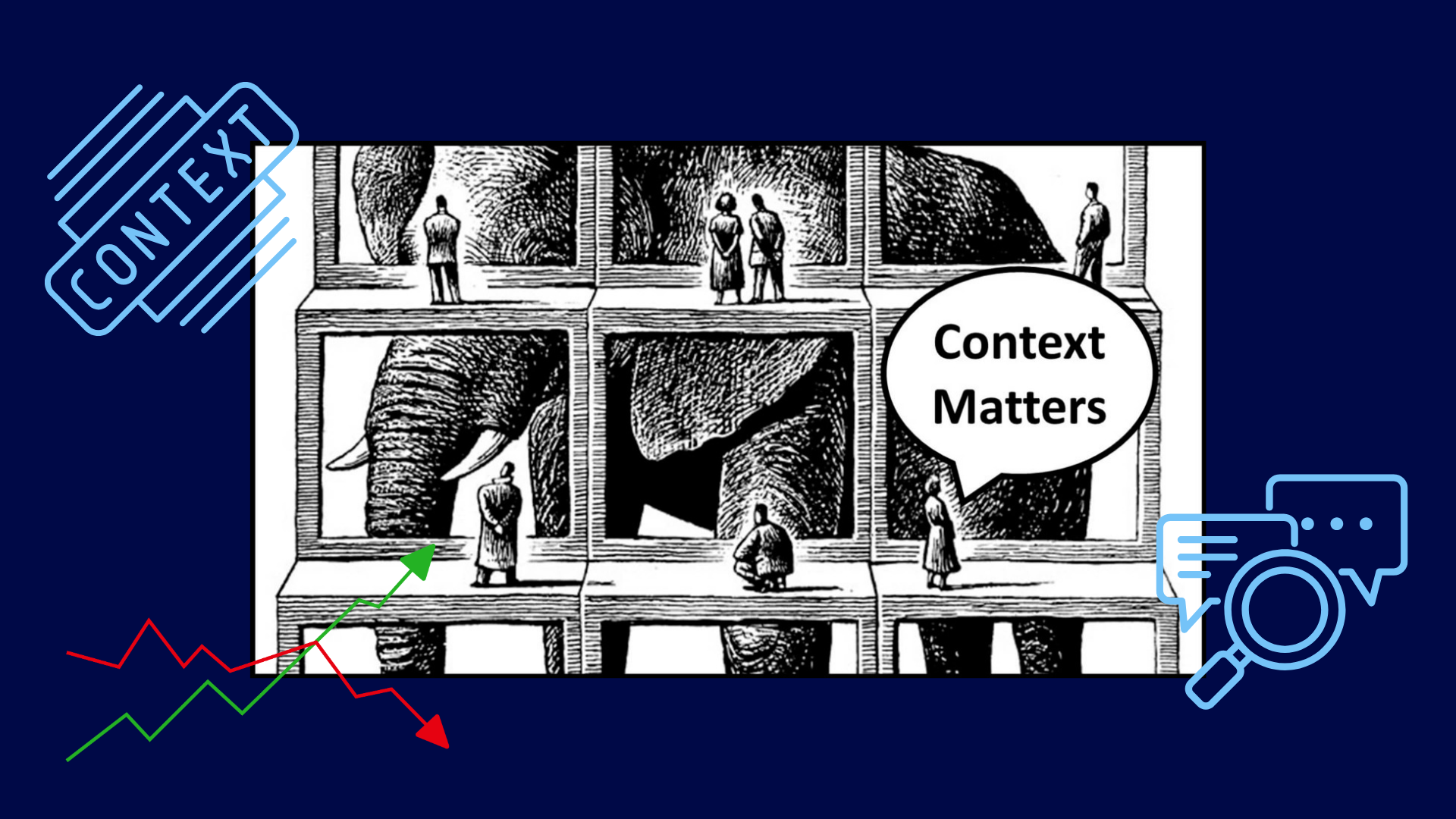
Context Matters
For text-to-SQL agents to generate accurate, executable queries, they need three distinct types of context that work together to bridge the gap between natural language and your specific data environment.
Data Schema
Your data schema provides the structural foundation that LLMs need to understand your data architecture. This includes table and column names, data types, primary and foreign key relationships, and database-specific syntax requirements.
Without proper schema context, even simple requests become impossible. Consider asking for "total sales by region last quarter." The LLM needs to know:
- Which table contains sales data (
transactions,orders,billing_events?) - How regions are defined (
customer_region,shipping_address.state,sales_territory?) - What constitutes "last quarter" in your fiscal calendar
- Whether values are stored as decimals, integers, or need currency conversion
Effective schema context goes beyond basic DDL statements. It includes metadata about table relationships, column descriptions that explain business meaning, and information about data quality or completeness that affects query design.
Definitions of Business Metrics
Business context translates your organization's specific terminology and rules into data logic. This is where most text-to-SQL implementations fail—they assume business terms have universal definitions when they're actually highly specific to each organization.
Take "customer lifetime value" as an example. One company might calculate it as total revenue per customer since signup. Another might use a predictive model based on engagement metrics. A third might only count revenue from specific product lines. Without business context, an LLM will generate SQL based on generic assumptions that produce meaningless results.
Business context includes:
- Business terminology: How your organization defines metrics like "active user," "qualified lead," or "churn rate"
- Business rules: Specific logic for calculations, exclusions, or data transformations
- Operational definitions: How time periods, geographic regions, or customer segments are categorized
- Data governance: Which data sources are authoritative for different metrics
Real-World Examples
Usage context helps LLMs understand query patterns and conventions specific to your environment. This includes examples of successful queries, common SQL patterns, and user behavior that indicates what types of analysis are most valuable.
Usage context is particularly powerful because it provides the LLM with examples of how schema and business context work together in practice. Instead of trying to infer the correct join between customers and transactions, the model can reference similar queries that successfully performed customer-level analysis.
Effective usage context includes:
- Query examples: Previously successful SQL that demonstrates proper joins, filters, and business logic
- Usage patterns: Which tables and fields are commonly accessed together
- Performance patterns: Query structures that work efficiently with your specific database configuration
- User intent patterns: How different types of users typically phrase requests and what they actually need
When all three types of context work together, LLMs can generate SQL that not only runs successfully but produces the specific insights your users are actually seeking.
Build a Data Analyst Agent
There are four primary approaches to providing LLMs with the context they need for effective data analysis. Each has distinct trade-offs in terms of setup complexity, ongoing maintenance, and effectiveness at scale.
Prompting Alone
The most basic form of providing context is to include the context directly into prompts when making requests to the LLM. This involves manually including schema documentation, example queries, and business definitions in each prompt.
Prompting works well for prototyping or early-stage experiments. You can quickly test whether an LLM can handle your specific query types by including relevant table definitions and examples directly in the prompt. Many teams start here because it requires no additional infrastructure.
Example prompt:
Using BigQuery SQL, write a query that returns the top 3 customers based on revenue in the last 6 months. Schema: orders (order_id, customer_id, order_total, created_at), customers (customer_id, customer_name)Pros:
- Zero setup time
- Works with any LLM
- Full control over what context is provided
- Easy to test and iterate quickly
- No additional tools or infrastructure required
Cons:
- Doesn't scale beyond simple use cases
- Requires manual context curation for each query
- Hits prompt length limits with complex schemas
- No way to handle dynamic or evolving metadata
- Becomes brittle as your data environment changes
Best for: Early validation, simple schemas with stable definitions, or one-off analysis requests where manual effort is acceptable.
Fine-tuning
Fine-tuning trains the LLM on your specific data patterns, schema, and query examples to embed domain knowledge directly into the model. This approach can significantly improve performance for stable, well-defined domains.
A fine-tuned model learns your specific table structures, common join patterns, business terminology, and query conventions. This can reduce the need for extensive context in each prompt and improve consistency across users.
Pros:
- Embeds domain knowledge directly in the model
- Reduces need for extensive context in prompts
- Can improve performance on domain-specific tasks
- Works well for stable schemas and query patterns
Cons:
- High setup cost requiring quality training data and expertise
- Requires retraining when schemas or business logic evolve
- Limited flexibility for new use cases not covered in training
- Significant computational resources and ongoing maintenance
- Risk of overfitting to historical patterns
Best for: Organizations with stable schemas, clear training data, and technical teams capable of managing model training pipelines.
RAG (Retrieval-Augmented Generation)
RAG systems dynamically retrieve relevant context from a knowledge base at query time. Instead of embedding everything in prompts or training, the system searches for relevant metadata, examples, and documentation to include with each request.
A typical RAG implementation stores schema documentation, business definitions, and query examples in a vector database. When a user makes a request, the system uses semantic similarity to find relevant context and includes it in the LLM prompt.
Pros:
- Dynamic context retrieval keeps information current
- Scales better than manual prompting
- Can handle evolving schemas and business definitions
- Leverages existing documentation and examples
- Works with most hosted LLM APIs
Cons:
- Retrieval quality significantly impacts results
- Still constrained by prompt length limits
- Requires thoughtful data chunking and indexing strategies
- Can retrieve irrelevant or conflicting context
- Setup complexity for vector databases and retrieval pipelines
Best for: Organizations with good documentation, evolving data environments, and teams comfortable with vector database implementation.
Data Catalogs
Modern data catalogs provide structured, API-accessible metadata that's specifically designed for programmatic access. Unlike RAG systems that search through documents, data catalogs offer standardized interfaces for retrieving schema information, lineage data, business definitions, and usage patterns.
Data catalogs solve the context problem by automatically maintaining comprehensive metadata about your data environment. They track schema changes, document business definitions, monitor query patterns, and provide APIs that LLMs can use to access current, accurate context.
Pros:
- Comprehensive, automatically maintained metadata
- Standardized APIs designed for programmatic access
- Real-time schema and usage information
- Built-in data governance and lineage tracking
- Scales across large, complex data environments
Cons:
- Requires catalog implementation and maintenance
- May have gaps in coverage for newer or custom systems
- Effectiveness depends on catalog quality and adoption
- Additional cost and complexity compared to simpler approaches
Best for: Organizations with complex data environments, strong data governance practices, and teams that need reliable, scalable text-to-SQL capabilities.
Go Fig is an all-in-one solution to build AI data analyst agents by connecting with data sources and creating a data catalog tailored to organizations, allowing business users to self-serve data requests using natural language.
Top Data Catalogs
Data catalogs are becoming increasingly popular to solve the use case for creating a standardized, organization-wide AI data analyst due to their extensive features across data governance, business logic, and business rules. There are several options to choose from with their own unique strengths, including Google Dataplex, Select Star, Alation and Secoda.
Google Dataplex
Google Dataplex focuses on unified data fabric and governance across multi-cloud environments, with strong integration into the Google Cloud ecosystem. Go Fig integrates with Google Dataplex to build data catalogs for the organizations that we serve.
Pros:
- Unified Multi-Cloud Governance: Handles metadata management across Google Cloud, AWS, and on-premises sources
- Serverless Architecture: Scalable, usage-based pricing without infrastructure management
- Native GCP Integration: Deep integration with BigQuery, Cloud SQL, and other Google services
- Data Quality Monitoring: Built-in profiling and quality assessment across data sources
- Enterprise Security: Comprehensive IAM and data governance controls
Cons:
- Limited MCP Support: API-focused with evolving support for Model Context Protocol, less optimized for LLM workflows
- Google Ecosystem Bias: While multi-cloud capable, clearly optimized for Google Cloud environments
- Learning Curve: Complex interface requiring significant training for business users
- Cost at Scale: Usage-based pricing can become expensive with heavy text-to-SQL workloads
Best For: Large enterprises with significant Google Cloud investments needing comprehensive multi-cloud data governance, especially those prioritizing compliance and security over AI-first features.
Select Star
Select Star is purpose-built for modern data teams with native support for AI workflows and LLM integration.
Pros:
- Mature MCP Integration: Full Model Context Protocol server with APIs designed specifically for LLM context retrieval
- LLM-Optimized Metadata: Schema context, business definitions, and query examples formatted for AI consumption
- Intuitive Interface: Business-user friendly with minimal training required
- Semantic Search: AI-powered discovery that understands business terminology
- Real-Time Context: Live metadata and lineage updates for current schema information
Cons:
- Vendor Lock-in Risk: Proprietary platform may limit flexibility for custom integrations
- Pricing Model: SaaS pricing tiers may become expensive for large organizations
- Limited Legacy Support: Newer platform may have gaps with older or highly customized systems
Best For: Organizations prioritizing AI-powered analytics with modern data stacks, especially teams wanting fast implementation of text-to-SQL capabilities with minimal technical overhead.
Alation
Alation offers enterprise-grade data governance with comprehensive compliance features and recent AI integration capabilities.
Pros:
- Enterprise Governance: Mature data stewardship, compliance tracking, and audit capabilities
- Recently Announced MCP Support: Now includes API and Model Context Protocol integration for AI agents
- Comprehensive Lineage: Detailed data lineage tracking across complex enterprise environments
- Role-Based Security: Granular permissions and access controls for regulated industries
- Established Ecosystem: Wide integration support and mature implementation patterns
Cons:
- High Complexity: Enterprise-focused interface and workflows may overwhelm smaller teams
- Implementation Cost: Significant setup, training, and ongoing management overhead
- AI Features Still Maturing: MCP and LLM integration capabilities are newer additions
- Performance Overhead: Feature richness can impact query and metadata retrieval speed
Best For: Large, regulated organizations needing comprehensive data governance and compliance capabilities, particularly in finance, healthcare, or government sectors where audit trails and data stewardship are critical.
Secoda
Secoda provides fast, cloud-native data cataloging with built-in AI context capabilities designed for agile teams.
Pros:
- Rapid Deployment: SaaS-first architecture enables quick setup and onboarding
- Native AI Integration: Built-in support for LLM workflows and context injection
- Modern Interface: Intuitive design focused on business user adoption
- Cost-Effective: Competitive pricing model suitable for growing teams
- Collaborative Features: Strong support for documentation and knowledge sharing
Cons:
- Enterprise Depth: May lack advanced governance and compliance features for large organizations
- Customization Limits: SaaS model may restrict deep customization for unique requirements
- Smaller Ecosystem: Fewer pre-built integrations compared to established platforms
- Scale Questions: Newer platform may face challenges with very large or complex data environments
Best For: Small to medium-sized teams wanting fast AI implementation without enterprise complexity, particularly SaaS companies or startups prioritizing speed over comprehensive governance.
Comparison Summary
| Catalog | MCP/API Support | Main Strength | Main Drawback | Best For |
|---|---|---|---|---|
| Google Dataplex | Partial (API focused) | Multi-cloud governance | Limited LLM optimization | Enterprise multi-cloud environments |
| Select Star | Full MCP + APIs | AI-native workflows | Vendor lock-in potential | Modern teams prioritizing AI analytics |
| Alation | Recently added MCP | Enterprise governance | Complexity and cost | Regulated industries needing compliance |
| Secoda | Native AI integration | Fast deployment | Limited enterprise features | SMBs wanting quick AI implementation |
LLM Reasoning
Even with perfect context, LLMs can still generate incorrect SQL due to their probabilistic nature and the complexity of translating natural language into precise database queries. Advanced text-to-SQL systems address this through sophisticated reasoning techniques that validate, refine, and improve generated queries.

Validation and Rewriting
Validation and rewriting techniques create feedback loops that allow the system to catch and correct errors before returning results to users. This approach treats SQL generation as an iterative process rather than a single prediction.
Query Parsing and Syntax Validation: Before executing any generated SQL, the system performs syntax checking specific to your database dialect. If the query contains syntax errors, the parser provides specific error messages that get fed back to the LLM for correction. This catches obvious mistakes like incorrect function names or malformed joins.
Dry Run Execution: The system performs a lightweight test execution of the query—typically using LIMIT 1 or EXPLAIN statements—to verify the query can run against your actual schema. If the dry run fails due to missing tables or columns, the error details help the LLM understand what went wrong and generate a corrected version.
Result Plausibility Checking: For queries that execute successfully, the system can perform sanity checks on results. If a revenue query returns negative values or a count query returns more records than exist in the source table, these signals indicate potential logic errors that trigger rewriting.
Multi-Pass Generation: Instead of accepting the first generated query, the system can generate multiple SQL variants and compare them. Queries that produce similar results across different approaches are more likely to be correct, while outliers may indicate errors in logic or interpretation.
This validation approach significantly improves accuracy because it gives the LLM concrete, specific feedback about what went wrong, rather than relying on generic error messages or user corrections.
In-Context-Learning with Business Specific Examples
In-context-learning leverages the LLM's ability to understand patterns from examples provided within the prompt context. For text-to-SQL applications, this means including relevant query examples that demonstrate your organization's specific patterns and business logic.
Pattern Recognition: When you provide examples of how your organization typically structures customer analysis queries, the LLM learns to apply similar patterns to new requests. If your examples show that customer metrics always exclude test accounts using WHERE customer_type != 'test', the model will apply this filter to new customer-related queries.
Business Logic Templates: Complex business calculations can be templated through examples. If "customer lifetime value" in your organization requires a specific formula involving multiple table joins and date calculations, showing the LLM 2-3 variations of this calculation helps it apply the same logic to new scenarios.
Query Complexity Scaling: Examples help the LLM understand how to build from simple to complex queries. Showing progression from basic table queries to multi-table joins to complex aggregations teaches the model your preferred approach to query construction.
Domain-Specific Conventions: Every organization has conventions around naming, grouping, and filtering that may not be obvious from schema alone. Examples make these implicit conventions explicit, improving consistency across generated queries.
The key to effective in-context-learning is curating examples that represent real business scenarios and successful query patterns, not just syntactically correct SQL.
Business Specific Examples
Concrete examples make the difference between generic SQL that might work and SQL that actually serves your business needs. Here's how organizations implement business-specific examples effectively:
Customer Segmentation Example: Instead of generic customer queries, provide examples that show how your organization defines and analyzes customer segments:
-- Example: How we analyze enterprise customers
SELECT
    customer_id,
    customer_name,
    annual_contract_value,
    CASE
        WHEN annual_contract_value >= 100000 THEN 'Enterprise'
        WHEN annual_contract_value >= 25000 THEN 'Mid-Market'
        ELSE 'SMB'
    END as customer_segment
FROM customers c
JOIN subscription_summary s ON c.customer_id = s.customer_id
WHERE customer_status = 'active'
    AND signup_date >= '2023-01-01'
Revenue Recognition Example: Show how your organization handles complex business logic around revenue timing and recognition:
-- Example: How we calculate recognized revenue
SELECT
    DATE_TRUNC('month', billing_date) as month,
    SUM(CASE
        WHEN subscription_type = 'annual'
        THEN amount / 12
        ELSE amount
    END) as monthly_recognized_revenue
FROM billing_events
WHERE billing_status = 'collected'
    AND billing_date >= CURRENT_DATE - INTERVAL '12 months'
GROUP BY 1
ORDER BY 1
Cohort Analysis Example: Demonstrate your specific approach to tracking customer behavior over time:
-- Example: Monthly cohort retention analysis
WITH cohorts AS (
    SELECT
        customer_id,
        DATE_TRUNC('month', signup_date) as cohort_month
    FROM customers
    WHERE signup_date >= '2023-01-01'
),
activity AS (
    SELECT
        customer_id,
        DATE_TRUNC('month', login_date) as activity_month
    FROM user_activity
    WHERE login_date >= '2023-01-01'
)
SELECT
    c.cohort_month,
    a.activity_month,
    COUNT(DISTINCT c.customer_id) as cohort_size,
    COUNT(DISTINCT a.customer_id) as active_users,
    COUNT(DISTINCT a.customer_id) * 100.0 / COUNT(DISTINCT c.customer_id) as retention_rate
FROM cohorts c
LEFT JOIN activity a ON c.customer_id = a.customer_id
GROUP BY 1, 2
ORDER BY 1, 2
These examples teach the LLM not just SQL syntax, but your organization's specific approach to defining metrics, handling edge cases, and structuring analysis. When a user asks for "customer retention analysis," the LLM can apply the patterns from your cohort example rather than generating generic retention logic that may not match your business definitions.
Effective business-specific examples should cover your most common analysis patterns, include the edge cases and filters that matter in your environment, and demonstrate the level of complexity that your users typically need. This approach transforms LLMs from generic SQL generators into systems that understand and replicate your organization's analytical thinking.
Data Analytics Will Change Forever
We're at an inflection point in how organizations will perform data analytics. The technology exists today to democratize data access in ways that were impossible just two years ago. LLMs can understand natural language, translate business questions into SQL, and reason through complex analytical problems. Data catalogs provide rich, structured context about schemas and business definitions. Modern data warehouses can execute queries at scale with sub-second response times.
Yet most organizations are still stuck in the same cycle: business teams submit data requests, wait days for responses, and often receive results that don't quite answer their original questions or even in new custom logic that doesn't align with business standards. The problem is that the existing landscape of Business Intelligence tools require a high bar of data engineering expertise and a deep knowledge of the data architecture that effectively blocks out non-technical decision makers from accessing the core promise of self-serving data needs in a business-user-friendly UI.
The technology infrastructure exists today to make this vision real. What's been missing is a platform that combines these capabilities in a way that actually works for business teams. Go Fig represents that bridge—bringing the power of AI-driven data analysis to every problem solver in your organization, without requiring them to become data engineers.

The future of data analytics isn't about replacing analysts or forcing business users to learn SQL. It's about amplifying human intelligence with AI capabilities that understand business context and integrate seamlessly with existing workflows. Because the most sophisticated analytical insights should be accessible to anyone with the business knowledge to ask the right questions.
Ready to see how AI-powered data analysis can work for your team? Schedule a demo to experience how Go Fig turns natural language questions into accurate business insights, delivered directly into your existing workflows. Because in today's market, the speed of insight determines the speed of success.
Table of Contents
I was recommended this website by my cousin I am not sure whether this post is written by him as nobody else know such detailed about my trouble You are amazing Thanks
I’m often to blogging and i really appreciate your content. The article has actually peaks my interest. I’m going to bookmark your web site and maintain checking for brand spanking new information.
I appreciate how you compared different approaches — very helpful.
I appreciate how you compared different approaches — very helpful.
Pretty! This has been a really wonderful post. Many thanks for providing these details.
Great information shared.. really enjoyed reading this post thank you author for sharing this post .. appreciated
Nice guide — the tips are simple but effective. Thanks!
Great article, thank you for sharing these insights! I’ve tested many methods for building backlinks, and what really worked for me was using AI-powered automation. With us, we can scale link building in a safe and efficient way. It’s amazing to see how much time this saves compared to manual outreach.
Solid post — bookmarked and shared. Keep producing content like this!
This helped me rethink my strategy. Thanks for the inspiration!
This was exactly what I was searching for. Thanks a lot!
Loved the conversational tone — made learning enjoyable.
Solid suggestions — would be great to see a downloadable checklist.
I appreciate the balanced view — you didn't oversell the solution.
I like how you addressed common mistakes — very practical advice.
This article is well-researched and clearly written. Appreciate the effort!
I tried the method and had positive results — thanks for sharing!
Nice work! I shared this with colleagues who will appreciate it.
Very insightful — I'd love to hear your thoughts on related tools.
Thanks for including real user stories — very relatable.
Good read — the key takeaways were especially helpful.
very informative articles or reviews at this time.
Great visuals and clear captions — they added a lot of value.